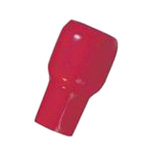
Allows you to visually check the heat that is generated by equipment.[Features]· Visually check equipment heat generation. Example of use: Simply use the Thermo Cap in place of insulated caps for crimped terminals.· Changes color at 75°C.· Indicates the generation of heat by a change in color.
Allows you to visually check the heat that is generated by equipment.[Features]· Visually check equipment heat generation. Example of use: Simply use the Thermo Cap in place of insulated caps for crimped terminals.· Changes color at 75°C.· Indicates the generation of heat by a change in color.
Allows you to visually check the heat that is generated by equipment.[Features]· Visually check equipment heat generation. Example of use: Simply use the Thermo Cap in place of insulated caps for crimped terminals.· Changes color at 75°C.· Indicates the generation of heat by a change in color.
Allows you to visually check the heat that is generated by equipment.[Features]· Visually check equipment heat generation. Example of use: Simply use the Thermo Cap in place of insulated caps for crimped terminals.· Changes color at 75°C.· Indicates the generation of heat by a change in color.
Allows you to visually check the heat that is generated by equipment.[Features]· Visually check equipment heat generation. Example of use: Simply use the Thermo Cap in place of insulated caps for crimped terminals.· Changes color at 75°C.· Indicates the generation of heat by a change in color.
Allows you to visually check the heat that is generated by equipment.[Features]· Visually check equipment heat generation. Example of use: Simply use the Thermo Cap in place of insulated caps for crimped terminals.· Changes color at 75°C.· Indicates the generation of heat by a change in color.
Allows you to visually check the heat that is generated by equipment.[Features]· Visually check equipment heat generation. Example of use: Simply use the Thermo Cap in place of insulated caps for crimped terminals.· Changes color at 75°C.· Indicates the generation of heat by a change in color.
Allows you to visually check the heat that is generated by equipment.[Features]· Visually check equipment heat generation. Example of use: Simply use the Thermo Cap in place of insulated caps for crimped terminals.· Changes color at 75°C.· Indicates the generation of heat by a change in color.
Allows you to visually check the heat that is generated by equipment.[Features]· Visually check equipment heat generation. Example of use: Simply use the Thermo Cap in place of insulated caps for crimped terminals.· Changes color at 75°C.· Indicates the generation of heat by a change in color.
Allows you to visually check the heat that is generated by equipment.[Features]· Visually check equipment heat generation. Example of use: Simply use the Thermo Cap in place of insulated caps for crimped terminals.· Changes color at 75°C.· Indicates the generation of heat by a change in color.
Allows you to visually check the heat that is generated by equipment.[Features]· Visually check equipment heat generation. Example of use: Simply use the Thermo Cap in place of insulated caps for crimped terminals.· Changes color at 75°C.· Indicates the generation of heat by a change in color.
Allows you to visually check the heat that is generated by equipment.[Features]· Visually check equipment heat generation. Example of use: Simply use the Thermo Cap in place of insulated caps for crimped terminals.· Changes color at 75°C.· Indicates the generation of heat by a change in color.
Allows you to visually check the heat that is generated by equipment.[Features]· Visually check equipment heat generation. Example of use: Simply use the Thermo Cap in place of insulated caps for crimped terminals.· Changes color at 75°C.· Indicates the generation of heat by a change in color.
Allows you to visually check the heat that is generated by equipment.[Features]· Visually check equipment heat generation. Example of use: Simply use the Thermo Cap in place of insulated caps for crimped terminals.· Changes color at 75°C.· Indicates the generation of heat by a change in color.
Allows you to visually check the heat that is generated by equipment.[Features]· Visually check equipment heat generation. Example of use: Simply use the Thermo Cap in place of insulated caps for crimped terminals.· Changes color at 75°C.· Indicates the generation of heat by a change in color.
Allows you to visually check the heat that is generated by equipment.[Features]· Visually check equipment heat generation. Example of use: Simply use the Thermo Cap in place of insulated caps for crimped terminals.· Changes color at 75°C.· Indicates the generation of heat by a change in color.
Allows you to visually check the heat that is generated by equipment.[Features]· Visually check equipment heat generation. Example of use: Simply use the Thermo Cap in place of insulated caps for crimped terminals.· Changes color at 75°C.· Indicates the generation of heat by a change in color.
Allows you to visually check the heat that is generated by equipment.[Features]· Visually check equipment heat generation. Example of use: Simply use the Thermo Cap in place of insulated caps for crimped terminals.· Changes color at 75°C.· Indicates the generation of heat by a change in color.
Allows you to visually check the heat that is generated by equipment.[Features]· Visually check equipment heat generation. Example of use: Simply use the Thermo Cap in place of insulated caps for crimped terminals.· Changes color at 75°C.· Indicates the generation of heat by a change in color.
Allows you to visually check the heat that is generated by equipment.[Features]· Visually check equipment heat generation. Example of use: Simply use the Thermo Cap in place of insulated caps for crimped terminals.· Changes color at 75°C.· Indicates the generation of heat by a change in color.